Pro Tip: Your New Secret Weapon for Perfect Task Management
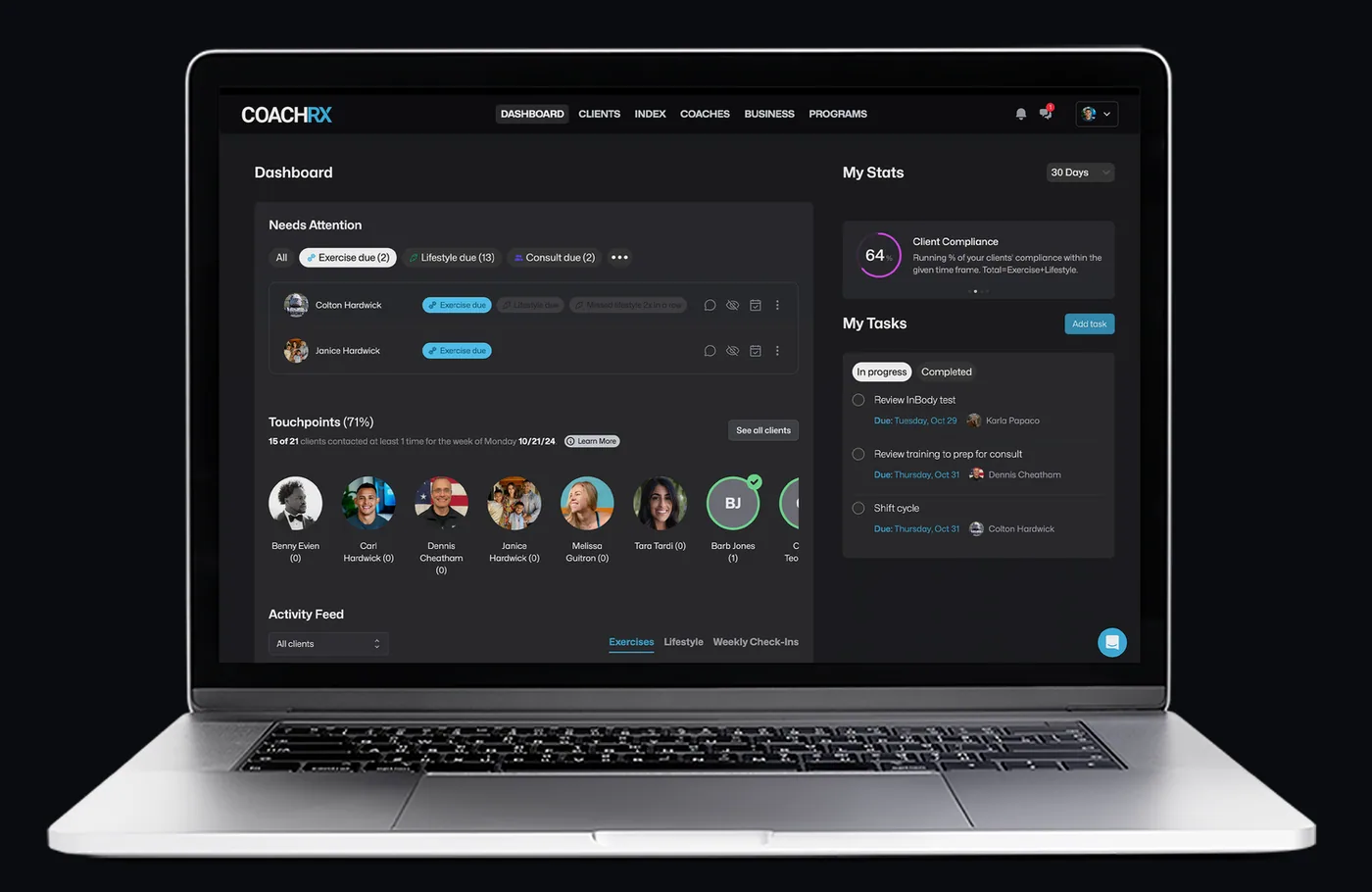
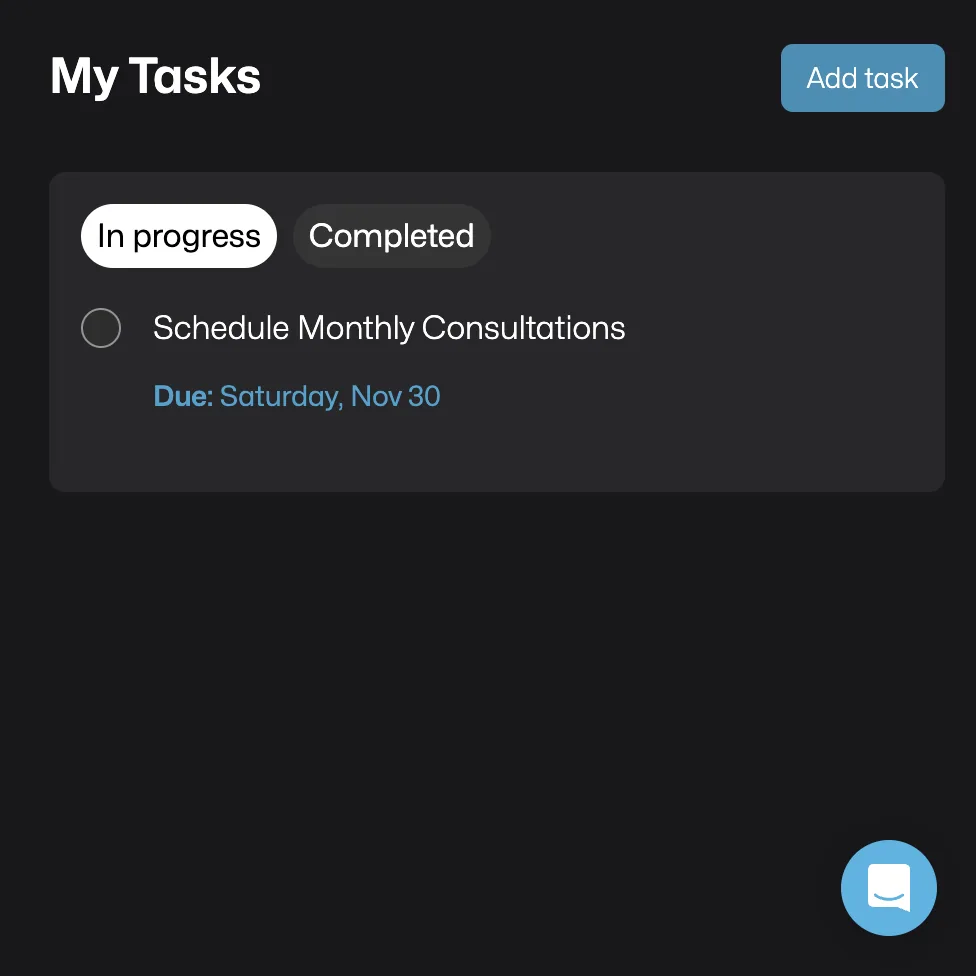
Introducing "My Tasks": Your New Command Center. Think of it as your personal assistant who never sleeps, keeping track of everything from client check-ins to program updates, all in one place.
[5 minute read]
"The difference between a good coach and a great coach often comes down to one thing: systematic organization that lets them focus on what truly matters—their clients."
The Reality of Modern Coaching
Let's be honest: Post-it notes scattered across your desk, countless tabs open on your browser, three different task management apps, and still that nagging feeling you're forgetting something important. Sound familiar?
As your coaching business grows, so does the mental overhead of keeping track of everything. And let's face it—every minute spent organizing tasks is a minute not spent helping your clients reach their goals.
Introducing "My Tasks": Your New Command Center
What if you could:
- Have every coaching task in one place?
- Never miss a client check-in again?
- Know exactly what needs your attention each day?
- Grow your client base without growing your stress?
That's exactly what our new "My Tasks" feature delivers.
🎯 Your Personal Coaching Assistant
Automatically Tracks:
- ⚡ Program Design Due Dates
- 🗣️ Client Check-ins
- 💰 Payment Reminders
- 🎯 Custom Coaching Tasks
- ✨ Client Onboarding Steps
- 📊 Progress Updates Due
Coach Success Stories
Sarah M., Performance Coach
"I went from spending 2 hours daily organizing tasks to 15 minutes. The automated reminders alone have transformed how I manage my client load."
James R., Nutrition Coach
"The ability to link tasks to specific clients has been game-changing. I've doubled my client base without doubling my administrative time."
Why This Changes Your Coaching Game
🧠 Never Miss a Beat
- Every task in one unified dashboard
- Clear deadlines for all responsibilities
- Zero things falling through cracks
- Smart reminders when you need them
⚡ Work Smarter, Not Harder
- Automated task generation
- Tasks linked to specific clients
- Batch similar tasks together
- Custom categories for your workflow
💪 Grow With Confidence
- Handle more clients easily
- Perfect timing on follow-ups
- Professional-level organization
- Scalable systems that grow with you
The Bottom Line for Your Business
✅ Save 3+ Hours Weekly on task management
✅ Eliminate Task Overload with smart organization
✅ Grow Your Client Base without growing your stress
✅ Boost Client Experience through perfect timing
Advanced Strategies for Power Users
The "Perfect Day" Framework
-
Morning Power Hour (15 mins)
- Review automated tasks
- Prioritize client needs
- Plan your day's workflow
-
Midday Check-in (5 mins)
- Complete quick tasks
- Update task status
- Adjust priorities if needed
-
End-of-Day Review (10 mins)
- Plan tomorrow's priorities
- Update task completion
- Schedule future tasks
Maximizing Your Task Management
Creating Smart Task Categories
- Client-specific tasks
- Administrative duties
- Program design work
- Client check-ins
- Business development
- Content creation
Setting Up Custom Workflows
Learn to customize your task management for:
- Different client types
- Various service offerings
- Business growth activities
- Team collaboration
🚀 Implementation Guide
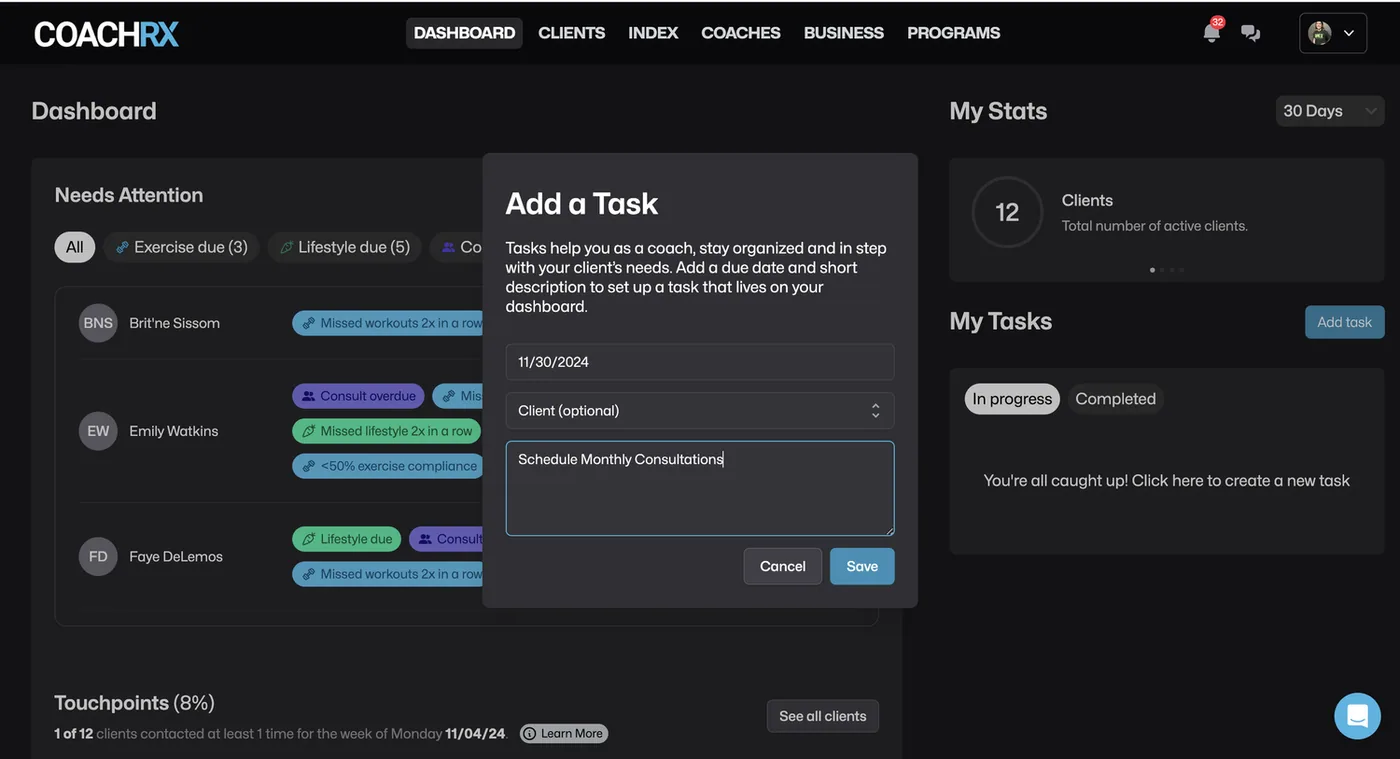
1. Set Up Your Command Center
- Log into CoachRx
- Click the new "My Tasks" tab
- Watch your automatic tasks populate
2. Add Your Personal Touch
- Create custom tasks for your workflow
- Set perfect deadlines
- Link tasks to specific clients
3. Let the System Work for You
- Complete tasks as they come up
- Trust the automated reminders
- Focus on coaching, not organizing
Pro Coach Tips:
👉 Start each day with a 5-minute task review
👉 Batch similar tasks together
👉 Use task categories for better organization
👉 Set realistic deadlines that match your workflow
Common Questions from Coaches
Q: Can I integrate this with my existing calendar? A: Yes! "My Tasks" syncs seamlessly with your coaching calendar.
Q: What happens to completed tasks? A: They're archived for reference while keeping your active tasks clean and organized.
Q: Can I set recurring tasks? A: Absolutely! Perfect for regular check-ins and routine coaching activities.
Ready to Transform Your Coaching Business? Take Action Now.
💻 For Existing CoachRx Users:
Log In Now and explore your new "Needs Attention" dashboard. Your clients are waiting!
🌟 New to CoachRx?
Start Your Free 14-Day Trial and see why leading coaches trust CoachRx to deliver exceptional client experiences.

More in Program Design Pro Tip.
Deliver the coaching
you're capable of.
Try CoachRx free and see what changes when every part of your practice is in the same place.