Use Live Programs to Scale Your Coaching
CoachRx offers a fantastic feature for group fitness gyms that share the same program, Live Programs. With Live Programs, coaches can design a program using the live programs calendar and push out the workout to all clients that are in that program each day.
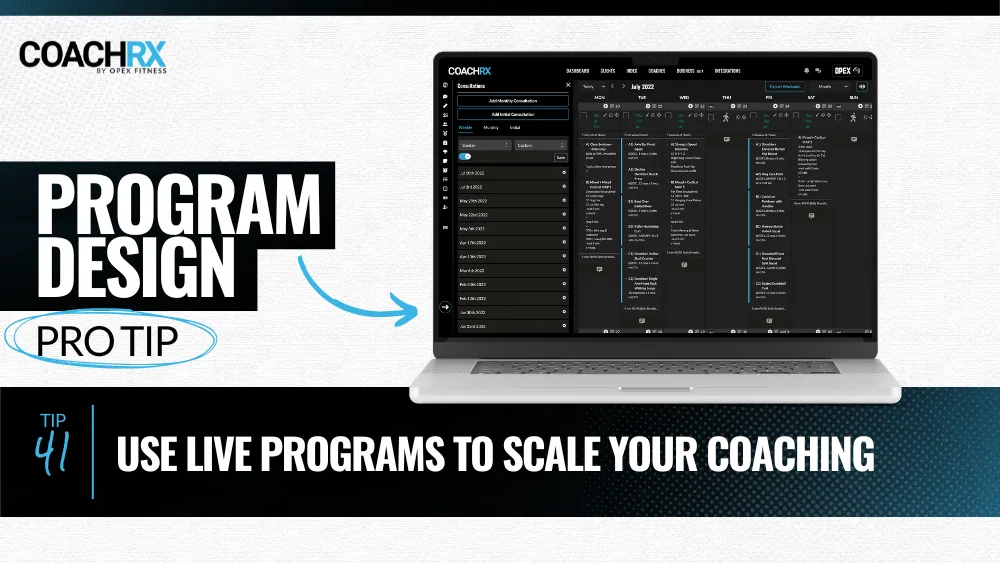
Coach multiple clients using a single program.
Program Design Pro Tip:
Use Live Programs to Scale Your Coaching
CoachRx offers a fantastic feature tailored to group fitness gyms with shared programs, called Live Programs. With Live Programs, coaches can utilize the live programs calendar to design workouts and seamlessly deliver them to all clients enrolled in that program on a daily basis.
Live Programs are an efficient tool for coaches to design and manage training programs for multiple clients. Live programs have a fixed start date, think workout of the day style, when someone is added they start on the current live day. This is different from the standard program feature where clients can start at any time and complete a fixed set of workouts, think 8-weeks to stronger squats or 16-week half-marathon build.
The live programs feature enables coaches to assign workouts to clients and make adjustments to individual programs as necessary through their client profiles. With the live program feature, each client gets access to CoachRx through their own login, ensuring that all clients enrolled in the program receive their daily workout.
How to Use the Live Program Feature
The Live Program feature is easy to use and can be accessed through the CoachRx app. To get started, follow these steps:
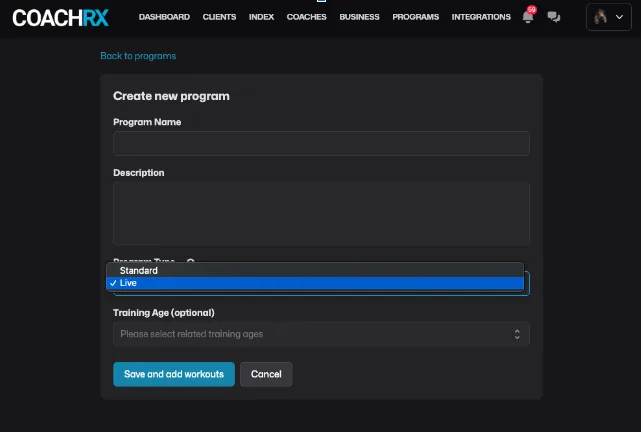
Step 1: Create a Program
From the CoachRx web dashboard,create a program from the Programs tab. When creating a program, select "Live Program" as the program type.
Step 2: Add Clients to the Program
Once you have created a program, you can add clients to the program from the "Assign Program" button in the program itself. Note, if you areselling the program online through your storefront, clients will be automatically assigned upon the purchase of the program.
Adjusting the Program
If you need to adjust the program, you can do so right in the program calendar-this will adjust the program for all clients assigned to that program. If you need to adjust an individual client's program, you can do so by adjusting that client's individual calendar.
If you would like to read more about programs or watch a demo video please click here.

More in Program Design Pro Tip.
Deliver the coaching
you're capable of.
Try CoachRx free and see what changes when every part of your practice is in the same place.